

November 14, 2025
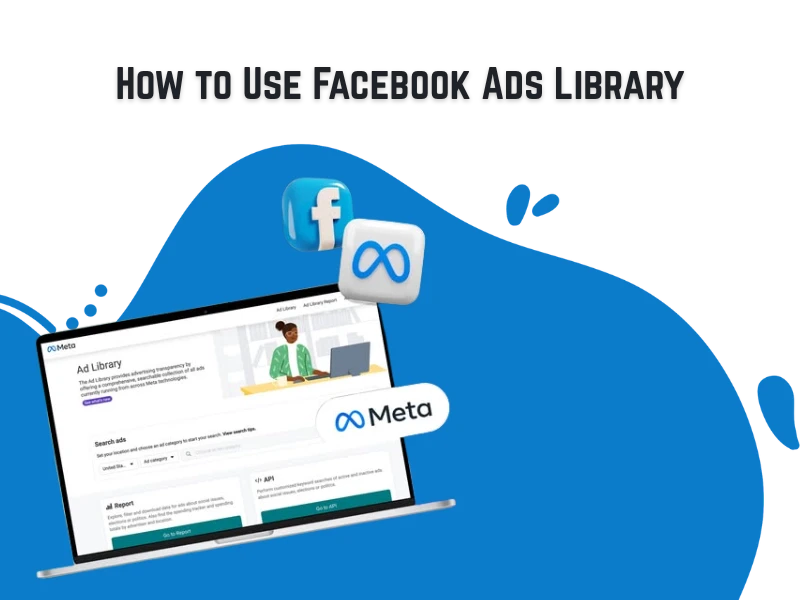
How to Use Facebook Ads Library How would the marketing world look without the Meta Ad Library? This powerful tool connects to nearly 42% of daily active users, making advertising across Meta’s platforms a golden opportunity for marketers. But with so much competition, just being on Meta isn’t enough. Your success hinges on using the Ad Library skillfully to create campaigns that truly deliver. In today’s article, we’ll take a closer look at this high-impact tool, explore the different ways to use it, and uncover the areas where it can transform your digital marketing strategy, opening new horizons for creativity and growth. What Is the Meta Ads Library? Think of Meta Ad Library as a giant, public database of all ads running on Facebook, Instagram, WhatsApp, Messenger, Threads, and Meta’s partner platforms. But the library doesn’t just show you ads in your own niche, it’s not like Pinterest. Instead, you can search using specific keywords, and even filter results by advertiser name, ad start date, reach, and many other parameters to get exactly the insights you need. When to Leverage the Meta Ad Library Want to avoid wasting money on your next ad campaign? Before you spend your first penny, we recommend diving into the Meta Ad Library. It’s the perfect tool to help you build a cost-effective campaign from the ground up. Let’s look at the moments when this tool becomes a true game-changer. Real-world inspiration for your Facebook ad strategies. Competitor campaign analysis across Meta platforms. Idea validation through similar ad comparisons and improvement planning. Campaign scaling opportunities across Meta’s ecosystem. Insights into popular messaging on different platforms. Keyword-based ad research relevant to your brand. Accessing the Meta Ad Library Accessing the Meta Ad Library is quick and easy. Simply click the link or search for “Meta Ad Library” on Google to open Meta’s official page. Once there, you can explore ads by keyword, advertiser name, or Facebook Page — all in one place. If you’d like to view ads from a specific Facebook Page, you can also find them directly through Facebook by following these steps: Go to the brand’s Facebook Page. Click on the About section. Scroll down to Page Transparency. Then click “Go to Ad Library” to see all the ads currently running from that page. 6 Smart Ways to Use the Meta Ad Library Explore All Ads from a Single Advertiser If you spot a Facebook ad that inspires you, the Meta Ad Library lets you quickly view all ads created by that brand. This helps you understand their creative approach and find ideas to improve your own Meta campaigns. How to check all ads from a brand: Open the brand’s Facebook Page. Go to the About section. Find Page Transparency and click See All. Select Go to Ad Library. Browse all active and inactive ads the brand is running. This feature helps you study consistent messaging, formats, and ad variations from top-performing advertisers, making it easier to refine your strategy. Find Keywords Related to Your Business To understand your market on Meta, search keywords that are linked to your industry, products, or brand. Using the Meta Ad Library reveals competitors’ ads and helps you spot messaging trends, creative angles, and value propositions that resonate with your audience. How to use this effectively: Choose keywords that describe your product categories. Try variations of the same idea (e.g., features, benefits, or use cases). Compare messaging styles to spot the most effective patterns. For example: A skincare brand might search phrases like “hydrating serum,” “anti-redness cream,” or “SPF moisturizer” to see how other brands position similar products. Filter Ads by Country If your business targets audiences in different regions, filtering ads by country in the Meta Ad Library helps you understand how brands tailor their messaging for each market. Even if you operate in a single country, narrowing results to your main audience ensures you’re only analyzing ads that are relevant to your goals. Why this matters: See how competitors communicate with audiences in specific markets. Identify local trends, cultural angles, and seasonal campaigns. Compare how brands adjust visuals, tone, and offers across regions. How to filter by country: Open the dropdown menu in the Meta Ad Library. Scroll through the country list or type the country name in the search bar. Analyze How Long Ads Have Been Running Checking an ad’s runtime in the Meta Ad Library is a simple way to gauge how well it performs. When a brand keeps an ad active for weeks or months, it often signals that the ad is delivering strong results and justifies continued spend. Why ad duration matters: Long-running ads often indicate high performance. Short-lived ads may suggest A/B tests or underperforming creatives. How to check ad runtime: Search for the brand’s name in the Meta Ad Library. Click “Filters”. Scroll to the bottom and choose “Impressions by date”. Select a specific date, a date range, “on or before,” or “on or after”. Review how long each ad has been active. Filter Ads by Media Type Meta offers multiple ad formats including: videos, carousels, and static images. Analyzing how brands use each format can give you powerful creative insights. Filtering ads by media type helps you understand which formats competitors rely on, how they structure their visuals, and which styles dominate your niche. Why this is useful: See how brands present similar products using different ad formats. Identify which media types appear most frequently for certain keywords. Get inspiration for your own creative testing and content variations. How to filter by media type: Enter your keyword or brand name in the Meta Ad Library. Click Filters. Open the Media type dropdown. Select the ad format you want to analyze. Track Where Ads Are Running Filtering ads by platform in the Meta Ad Library lets you understand where competitors are running their campaigns. This insight can help you decide which platforms to focus on for your own ads or identify opportunities to stand out. How to check
How To Create a Media Plan In a digital world overflowing with countless channels, marketing avenues can feel a bit overwhelming. Which channels should you rely on to reach your customers? When should you reach them — and with what message? That’s exactly what a media plan tells you. This article dives into what a media plan really is, how to craft it, why it matters, and the difference it can make for your business or brand once you put it into action. What Is a Media Plan? A media plan is a roadmap that outlines how a brand will communicate its message to the right audience through the most effective channels. It involves analyzing who your audience is, what message will resonate with them, when and where to reach them, and how to make the most of your budget. A well-crafted media plan brings together market research, audience insights, content formats, and channel selection to ensure every piece of communication serves a clear purpose. Media planning helps marketers stay focused, consistent, and intentional, delivering the right message, in the right place, at the right time to drive real business results. Once you understand the foundation of a media plan, it’s important to distinguish it from another key process: media buying. Media Planning VS Media Buying Media planning is the strategic phase — it’s where you define who you want to reach, where to reach them, and how to spend your budget wisely. It focuses on building a roadmap that connects your audience insights to clear marketing goals. Media buying comes next. It’s the action phase, where that strategy turns into real ads. Buyers negotiate prices, secure placements, and make sure campaigns are performing at their best. In short, media planning sets the direction, and media buying brings it to life. When both align perfectly, you get smarter spending, stronger engagement, and better results. Core Components of a Media Plan A well-structured media plan serves as the blueprint for how, when, and where your brand connects with its audience. It balances strategic vision with data-driven precision. The essential components include: Goals & KPIs: Define success metrics such as: awareness, engagement, or conversion rates. Budget Allocation: Decide total spend and how to distribute it across channels to make sure every penny counts. Audience Targeting: Identify who you’re reaching, where they are, and when they’re most active. Messaging Strategy: Clarify key themes, tone, and creative direction for consistent communication. Scheduling & Frequency: Decide when and how often your ads will run for maximum impact. Media Mix: Combine the right platforms including social, paid, content, PR, and traditional, for balanced reach. How to Create a Media Plan Building a strong media plan is all about clarity, precision, and smart execution. Here are the steps to craft one: 1. Understand Your Audience Start by digging deep into who your audience really is, their needs, behaviors, and where they spend time. The better you know them, the more precise and impactful your messaging will be. 2. Set Clear Goals and KPIs Define what success means for your campaign. Are you aiming for brand awareness, lead generation, or direct sales? Set SMART goals and identify measurable KPIs to track your progress. 3. Analyze Past Performance Before planning ahead, look back. Take a look at what worked (and what didn’t) in your previous campaigns. Use that valuable data to guide smarter channels and budget decisions. 4. Choose The Right Media Mix Select the platforms that best match your audience and objectives, whether that’s social media, search, display, or traditional channels. Don’t try to be everywhere; focus on where you’ll make the biggest impact. 5. Craft Your Core Message Develop a clear, consistent message that resonates across all channels. Keep it relevant to your audience’s needs and aligned with your brand’s tone and purpose. 6. Allocate Your Budget Strategically Distribute your spend based on what drives the strongest ROI. Invest in proven channels, but reserve a portion for testing and optimization. 7. Plan Your Schedule Map out when and how often your ads will run. A consistent and intentional schedule keeps your brand visible without overwhelming your audience. 8. Execute and Monitor Launch your campaign and track its performance in real time. Use analytics to ensure everything is running smoothly and hitting your KPIs. 9. Optimize and Refine Media planning doesn’t stop at launch. Regularly review results, make adjustments, and keep improving — every campaign should teach you something new. Media Plan Types Explained Media plans come in different forms, depending on the goals behind them. In every case, you need a clear objective to stay focused and avoid overspending or unrealistic expectations. Here are the main types you can use: Continuous Media Plan A continuous media plan focuses on keeping your brand visible all year round. Instead of running ads only during certain seasons, this approach ensures a steady flow of communication through regular ad placements. Key Features: Ads run consistently with minimal breaks. Works best for products needed year-round (food or personal care items). Reinforces brand awareness over time. Flighting Media Plan A flighting media plan runs ads in short cycles, alternating between active advertising periods and complete pauses. During each “flight,” ads appear intensively for a limited time. Key Features: Ads run in cycles with active and inactive periods. Ideal for seasonal or time-sensitive campaigns. Balances cost efficiency with high-impact exposure. Pulsing Media Plan A pulsing media plan blends the best of both worlds, continuous and flighting strategies. It keeps your brand visible throughout the year, but increases advertising intensity during peak seasons or special promotions. Key Features: Maintains regular ads, with extra exposure during peak seasons. Perfect for products with both regular and seasonal demand. Balances consistency, flexibility, and cost efficiency. Seasonal Media Plan A seasonal media plan runs ads during specific times of the year when demand naturally peaks. Instead of maintaining a year-round presence, it concentrates efforts around holidays, weather changes, or major events that influence consumer behavior. Key Features: Targets
Windows activator for Windows 7 Ultimate ✓ Activate Windows 7 Ultimate 64-bit ➤ use KMSpico tool ★ bypass product key easily with step-by-step guide ➔ complete activation now